Image Carousel | Squarespace Plugin
$ 20.00 AUD
Add a flexible image carousel to your Squarespace 7.1 website using simple copy-and-paste code. Includes the carousel code, written setup instructions, and a video walkthrough.
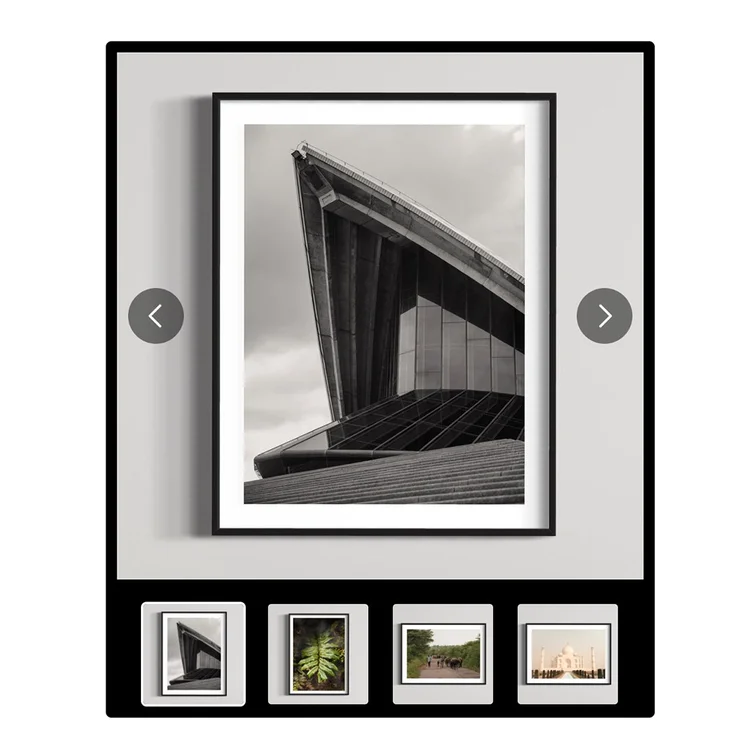
Add a flexible image carousel to your Squarespace 7.1 website using simple copy-and-paste code. Includes the carousel code, written setup instructions, and a video walkthrough.

This plugin is designed for Squarespace 7.1 websites on plans that support advanced custom code, including Business, Commerce Basic and Commerce Advanced.
It is not compatible with Personal plans, as they do not support the required JavaScript/code injection features needed for the carousel to work.
Yes. I have included a short video walkthrough showing the carousel working on a Squarespace page, including the main image display, thumbnail navigation, arrow controls and multiple carousel examples.
Use the demo video to see what the plugin looks like before purchasing and to get a feel for how it works once installed.
You receive a downloadable plugin pack with the carousel code and setup resources.
The pack includes:
The setup is designed to be copy-and-paste friendly, with both written instructions and a video guide included.
You do not need to be a developer, but you do need to be comfortable copying and pasting code into Squarespace.
This plugin is best suited to Squarespace users who are happy to follow step-by-step instructions, upload their own images, and replace placeholder image links with their own image URLs.
Because every Squarespace site can be slightly different, some light adjustment may be needed depending on your template, page layout and existing custom code.

.svg)
.svg)
.svg)
.svg)